Whether conducted online or onsite, instructor-led live MS Teams training courses demonstrate through interactive, hands-on practice how to utilize MS Teams to facilitate engaging online meetings or live events.
MS Teams training is available as 'online live training' or 'onsite live training'. Online live training (also known as 'remote live training') is delivered via an interactive remote desktop. Onsite live training can be conducted locally at customer premises in Transylvania or at NobleProg's corporate training centers in Transylvania.
MS Teams is also known as Microsoft Teams.
NobleProg -- Your Local Training Provider
Brasov, Calea Bucuresti Street
NobleProg Brasov, 13 Calea Bucuresti Street Sacele, Brasov, romania, 505600
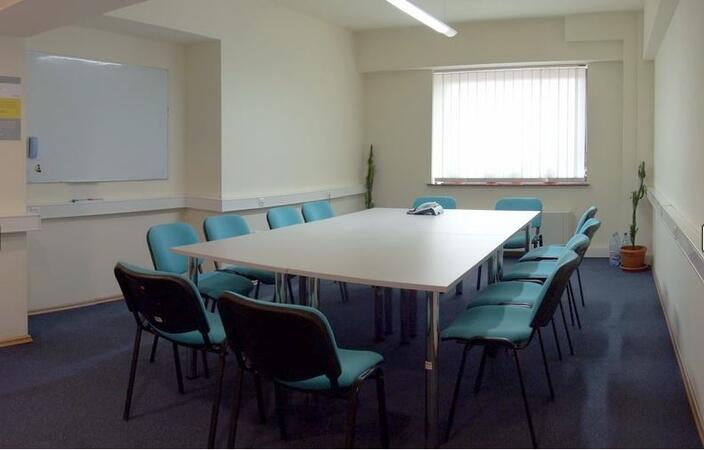
The hotel is situated at the city entrance, being the best conference and training location in Brasov. Three conference rooms can accommodate up to 170 guests and can be modified for the company needs. These training rooms are equipped with the all necessities of a good conference or training.
Salile de training sunt situate central în Sibiu, pe principalul bulevard. Clădirea hotelului care le gazduieste este de factură clasicistă si reprezinta un punct de referinta arhitecturala a orasului.
Turnul Sfatului, Galeria de Arta Contemporana, sau parcurile Corneliu Coposu si Astra se află în imediata apropiere.
Pentru a ajunge aici de la gara, puteti merge pe jos 20min sau cu autobuzul 5 circa 10min
Locuri de parcare găsiți în parcarea supravegheata, sau pe străzile alăturate.
Cluj-Napoca, Pitești Street
NobleProg Cluj-Napoca, Strada Pitești 19, Cluj-Napoca, romania, 400124
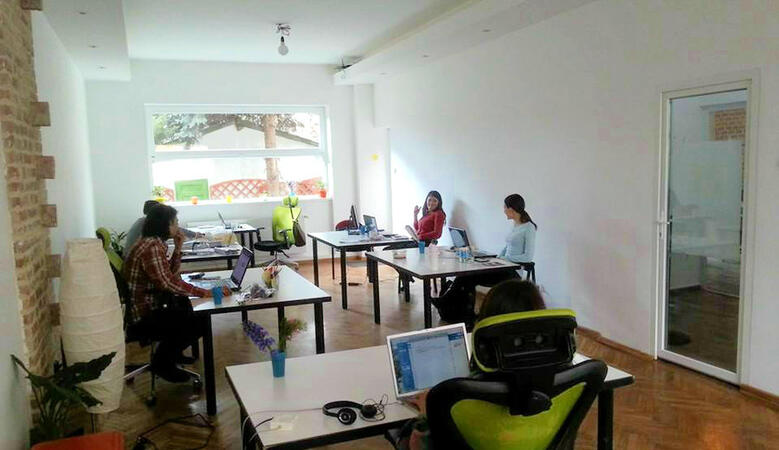
ClujHUB has more rooms for events and training sessions, which can host from 4 to 80 people. These areas can be setup up to fit the companies need. The location is great, 10 minutes walk from the historical city center.
Microsoft Teams and Microsoft Forms are cloud-based tools for communication, collaboration, and data collection within organizations.
This instructor-led, live training (online or onsite) is aimed at beginner-level users who wish to coordinate teamwork and manage information efficiently using Teams and Forms.
By the conclusion of this training, participants will be able to:
Navigate Microsoft Teams and manage channels effectively.
Create and distribute digital forms for data collection.
Integrate Forms with Teams for seamless workflows.
Optimize collaboration and communication across teams.
Format of the Course
Guided demonstrations with practical explanations.
Hands-on activities to reinforce learning.
Realistic practice tasks in an interactive environment.
Course Customization Options
If you require a tailored version of this course to fit your organization’s environment, please contact us to customize the training.
Microsoft Teams serves as a central hub for teamwork within Microsoft 365, empowering users to communicate, collaborate, and automate workflows effectively through integrated apps, file sharing, and real-time communication tools.
This instructor-led, live training (available online or onsite) is designed for beginner to intermediate users who wish to enhance their productivity and streamline collaboration via Microsoft Teams.
By the end of this training, participants will be able to:
Navigate Teams and configure teams, channels, and permissions effectively.
Collaborate in real time using shared files and integrated Microsoft 365 apps.
Automate repetitive tasks and connect Teams with other tools using Power Automate.
Apply productivity-enhancing features and best practices to optimize teamwork.
Format of the Course
Interactive lecture and demonstration.
Hands-on exercises using real Teams environments.
Guided practical applications and collaborative activities.
Course Customization Options
To request a customized training for this course, please contact us to arrange.
Microsoft Teams serves as the central hub for teamwork and collaboration within Microsoft 365. The MS-721 course equips participants with the skills to design, configure, manage, and secure Teams collaboration and communications systems in enterprise settings.
This instructor-led, live training (available online or onsite) targets intermediate-level Teams administrators and collaboration engineers who seek to manage Microsoft Teams for enterprise communication and collaboration.
By the conclusion of this training, participants will be able to:
Configure and manage Teams collaboration and meeting experiences.
Plan and manage Teams Phone and voice solutions.
Implement governance, security, and compliance for Teams environments.
Monitor, troubleshoot, and optimize Teams communications systems.
Course Format
Interactive lectures and discussions.
Hands-on labs and exercises.
Real-world case studies and implementation practice.
Course Customization Options
To request customized training for this course, please contact us to arrange.
This instructor-led, live training in Transylvania (online or onsite) is aimed at intermediate-level professionals who wish to optimize their use of Microsoft Teams and Read AI to enhance meeting outcomes and workflow efficiency.
By the end of this training, participants will be able to:
Configure and optimize Microsoft Teams for efficient meetings.
Integrate and personalize Read AI within Teams.
Use AI-powered features like summaries, transcripts, and participation analytics.
Improve collaboration, task tracking, and follow-up actions post-meeting.
Apply advanced strategies and use cases for sustained productivity.
This instructor-led, live training in Transylvania (online or onsite) is designed for beginner-level business professionals who want to leverage Microsoft Teams along with its powerful integrations with Outlook, OneDrive, and Lists to enhance team collaboration and productivity.
Navigate the Teams interface, create teams and channels, and manage communication through posts, chats, and meetings.
Schedule and join Teams meetings via both Teams and Outlook, utilize in-meeting collaboration tools like screen sharing, and manage meeting notes and recordings.
Efficiently handle emails, calendars, and Teams meetings using Outlook, and seamlessly transition between email and Teams communication workflows.
Leverage OneDrive for cloud storage, file sharing, and real-time document collaboration within Teams and Outlook, including managing file versions and recovery.
Create, customize, and manage Lists to organize tasks and projects, collaborate with team members, and integrate Lists with Outlook and OneDrive.
Seamlessly connect Teams with Outlook, OneDrive, and Lists to create a productive and integrated work environment, reducing redundant tasks and improving workflow efficiency.
Read more...
Last Updated:
Testimonials (2)
i learned alot
Rose-Ann - Heart FM
Course - Microsoft Teams: Practical Collaboration, Productivity, and Automation
The engagement and the practical examples we did as a group to get more understanding of the topic
ISABELLA - Sedibeng TVET College
Course - Microsoft Teams, Outlook, OneDrive, and Lists Integration
Online MS Teams training in Transylvania, MS Teams training courses in Transylvania, Weekend Microsoft Teams courses in Transylvania, Evening Microsoft Teams training in Transylvania, MS Teams instructor-led in Transylvania, Weekend MS Teams training in Transylvania, Evening Microsoft Teams courses in Transylvania, MS Teams one on one training in Transylvania, Microsoft Teams boot camp in Transylvania, Online Microsoft Teams training in Transylvania, MS Teams private courses in Transylvania, MS Teams instructor-led in Transylvania, Microsoft Teams on-site in Transylvania, MS Teams classes in Transylvania, MS Teams coaching in Transylvania, Microsoft Teams trainer in Transylvania, MS Teams instructor in Transylvania